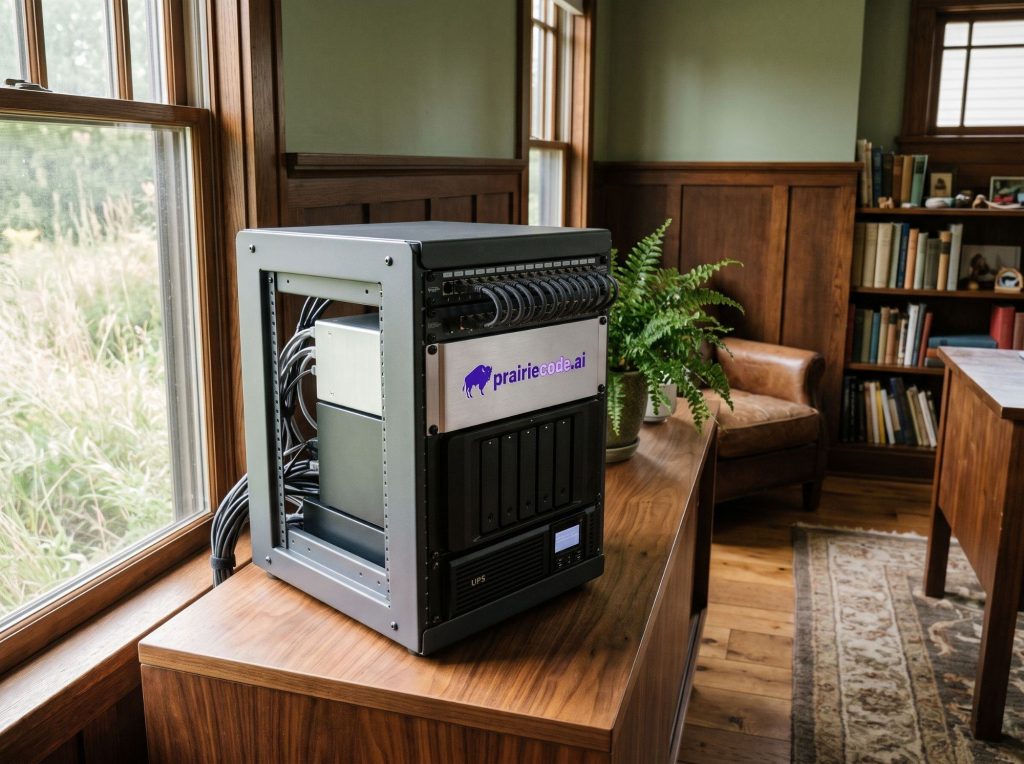
Your family's life runs on someone else's computers.
Your photos sit on Apple's or Google's servers. Your email lives with Google or Microsoft. Your questions go to an AI company's data center. Each company sets the rules, sends the bill and changes the terms when the company wants.
In 2016, 44.6% of the top million websites ran their own email servers. In 2026, 22.4% do. Control keeps moving to fewer companies.
Then the power goes out. The router shuts off. Every cloud service your family uses stops working at your house until the lines come back.
Self-hosting tools exist. Most expect you to type commands into a black screen. The least technical adult in your house should never need to.
What Freehold puts in your house
A private AI assistant
Write letters, plan meals, research a decision. Your conversations stay home. Free, open AI models now run about four months behind the best paid models.
Email at your own address
Use an address like jane@smithfamily.com. Your mail is stored at home, and the address belongs to you, not to a provider.
Every photo and file at home
Baby pictures, tax returns, school records. Stored in your house with automatic backups.
One family calendar
Calendars, contacts and passwords for everyone, kept at home.
Backup power
A battery keeps Freehold running when the grid drops. Add solar and a home battery later to run the whole house.
One app for the whole family
Phone, tablet or computer. Designed for the least technical adult in your house.
Run your house by asking.
No menus to learn. No settings to hunt for. Ask in plain English. Freehold's assistant does the work.
Freehold saves a snapshot before every change. Anything permanent asks you first. One tap undoes the last change.
“Add Grandma to the family calendar.”
“Why did the battery drain last night?”
“Make a chore chart for the kids.”
Three steps to a house you run yourself.
-
01
We plan your system
We learn how your family uses email, photos, calendars and AI today. Then we size Freehold to fit your house.
-
02
We install and train
We set up the hardware and put the Freehold app on every phone and computer. Then we train everyone in the house.
-
03
You own Freehold
You keep the hardware, the data, the settings and a printed house manual. We leave.
Start with your data. Add power when you're ready.
Every Freehold starts with Freehold Digital. Each tier builds on the one before.
Freehold Digital
Your AI and your data live in your house.
- Private AI assistant
- Email at your own address
- Photos, files, calendars, contacts and passwords at home
- The Freehold app for phone, tablet and computer
- Battery backup for the equipment
- A firewall and safe access from anywhere
Freehold Power
Your house keeps running when the grid goes down.
- Everything in Freehold Digital
- A home battery sized to run essentials for several days
- Solar sized to your household
- Backup power from your electric vehicle
- Power use and battery levels in the app
Freehold Off-Grid
You make, store and use your own power.
- Everything in Freehold Power
- Larger solar and battery
- Generator hookup
- Run fully off the grid when you choose
- Surplus power heats water, charges the car or heats a room with a bitcoin miner
Why we size solar to your house
Kansas homes pay about 15 cents per kilowatt-hour. Power your panels make and your house uses saves close to the full rate. Power you send back earns far less: 2.4 cents per kilowatt-hour in Evergy's own billing example. So Freehold sends surplus into your battery, your car or your water heater first. The federal tax credit for home solar ended with 2025, so we run the payback numbers for your house before you buy anything.
Coming later: Freehold Neighbors
Shared encrypted backups with families you trust. Pooled AI capacity. Messaging between houses with no internet needed.
Built for families who rely on themselves.
You grow food, raise your kids and build a business or a career. You want the same self-reliance in your technology, without becoming the family IT department.
Freehold also fits doctors, lawyers and business owners who value privacy and have no time to learn servers.
You need zero technical skill. You need to want your family's data and power under your own roof.
For offices and churches
Small professional offices and churches hold private records and need to stay open when the power fails. Freehold keeps client files, member records and email on hardware you own, with backup power for outages. Own a practice? Run one Freehold at home and one at the office.

Why we're building Freehold
I'm Miles Bassett. My family lives on a small farm outside Lawrence, Kansas. We grow and raise a good part of what we eat, because we would rather depend on ourselves than on a company or a supply chain.
Then I looked at our technology. Our photos, email, calendars and AI conversations all sit on servers owned by a handful of companies. When the power goes out, every one of those services stops working at our house.
I spent years as a software engineer at Fortune 500 companies and government agencies. I know how to run a server. My family shouldn't need to.
So we're building the first Freehold in our own house. We use the system every day and log every hour of upkeep. When Freehold runs our house without me, we'll install Freehold in yours.
Miles Bassett · Founder, Prairie Code
Questions
Do I need to be technical?
No. We design every screen for the least technical adult in the house. We install the system, set up the app on your devices and train your family.
Do I pay a monthly fee?
No. You pay for the install and the hardware. Help after install is optional and paid only when you ask. Nothing stops working if you never call us.
What happens if Prairie Code goes out of business?
Your system keeps running. Freehold uses standard parts and open standards, and you keep a printed house manual. Any competent technician takes over without calling us.
Is a home AI as good as ChatGPT or Claude?
For daily work like writing, planning and research, the gap is small. Free, open models run about four months behind the best paid models. Paid cloud models still lead on hard technical work such as complex programming. When you want a cloud model, you choose when a question leaves the house.
Will Freehold get my family off Apple and Google?
Partly. Your email, photos, files and AI conversations move home. Your iPhone or Android phone still depends on Apple or Google to run the phone itself.
How does email work from home?
You own your address, and your mail is stored on your Freehold. Home internet connections are unreliable for sending mail, so outgoing messages go through an established sending service. Switch sending services any time and keep your address.
Do I need solar to start?
No. Freehold Digital runs on regular power with a battery backup for the equipment. Add solar and a home battery when you're ready.
Does Prairie Code see my data?
Only when you let us. You hold the keys. We connect to your system only with your approval, each time.
Does Freehold work with my smart home?
Connect your own smart home devices if you want. We don't sell or install smart home gear.
What does Freehold cost?
We're setting prices with our first households. Waitlist members see pricing first.
Where do you install?
We're starting with households near Lawrence, Kansas. Tell us your ZIP code when you join the waitlist so we know where demand is.
Join the Freehold waitlist
We're opening Freehold to a small group of founding households first. Join the free waitlist for build updates, early pricing and first chance at an install.
Want to help build Freehold as a partner, installer or investor? Email hello@prairiecode.ai.